Open a terminal. On Mac, that's Terminal. On Windows, PowerShell or Command Prompt. Navigate to a folder where you have a Word document and try this:
cd ~/Documents
cp example.docx example.zip
unzip example.zip -d example_unzipped
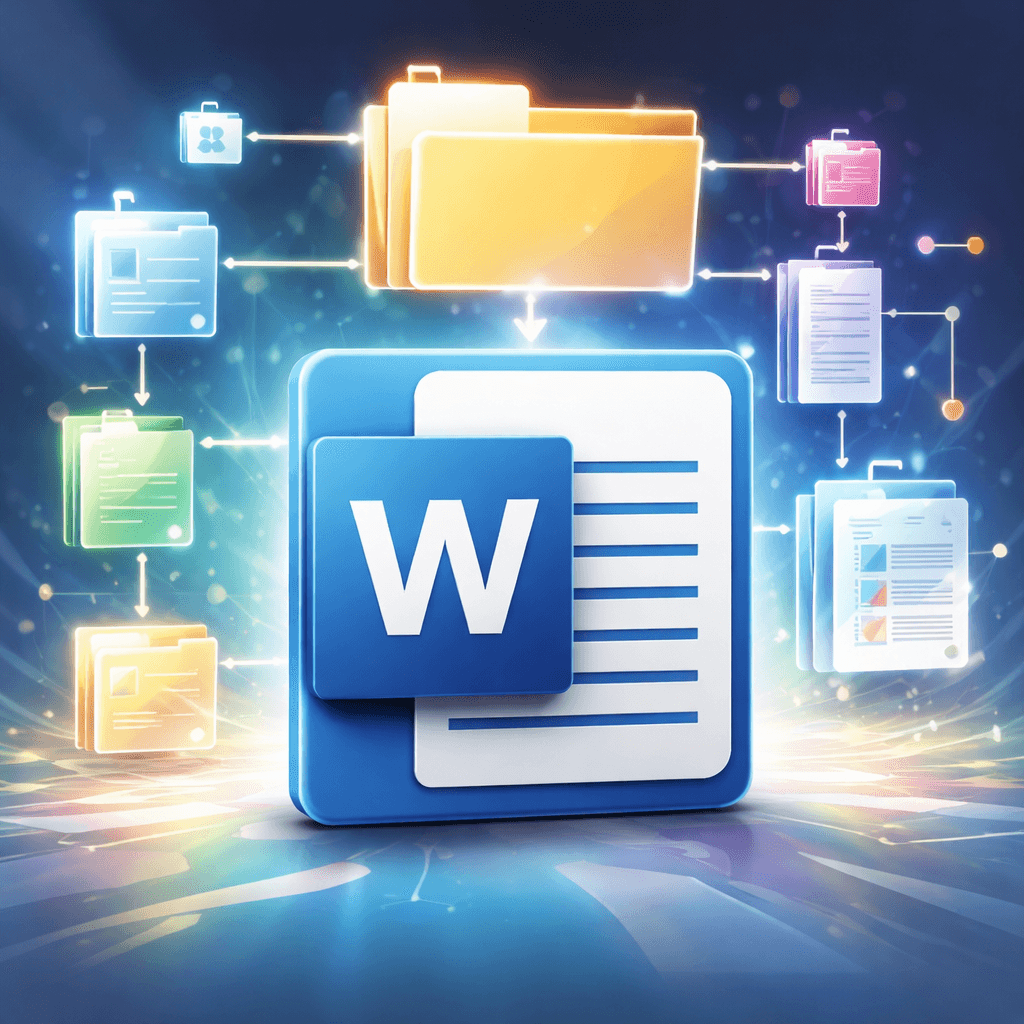
What you'll find inside is not a single binary blob or a proprietary format that only Microsoft can parse. It's a folder structure: a tidy little directory tree of XML files, each one responsible for a different dimension of your document. The text lives in one file. The formatting lives in another. The relationships between embedded images, headers, footers, and the document body are mapped in yet another. It's all plain text, all human-readable, and all sitting right there waiting for you to look at it.
The first time I cracked one open, it rearranged my understanding of every document generation problem I'd ever encountered.
What's Actually Inside
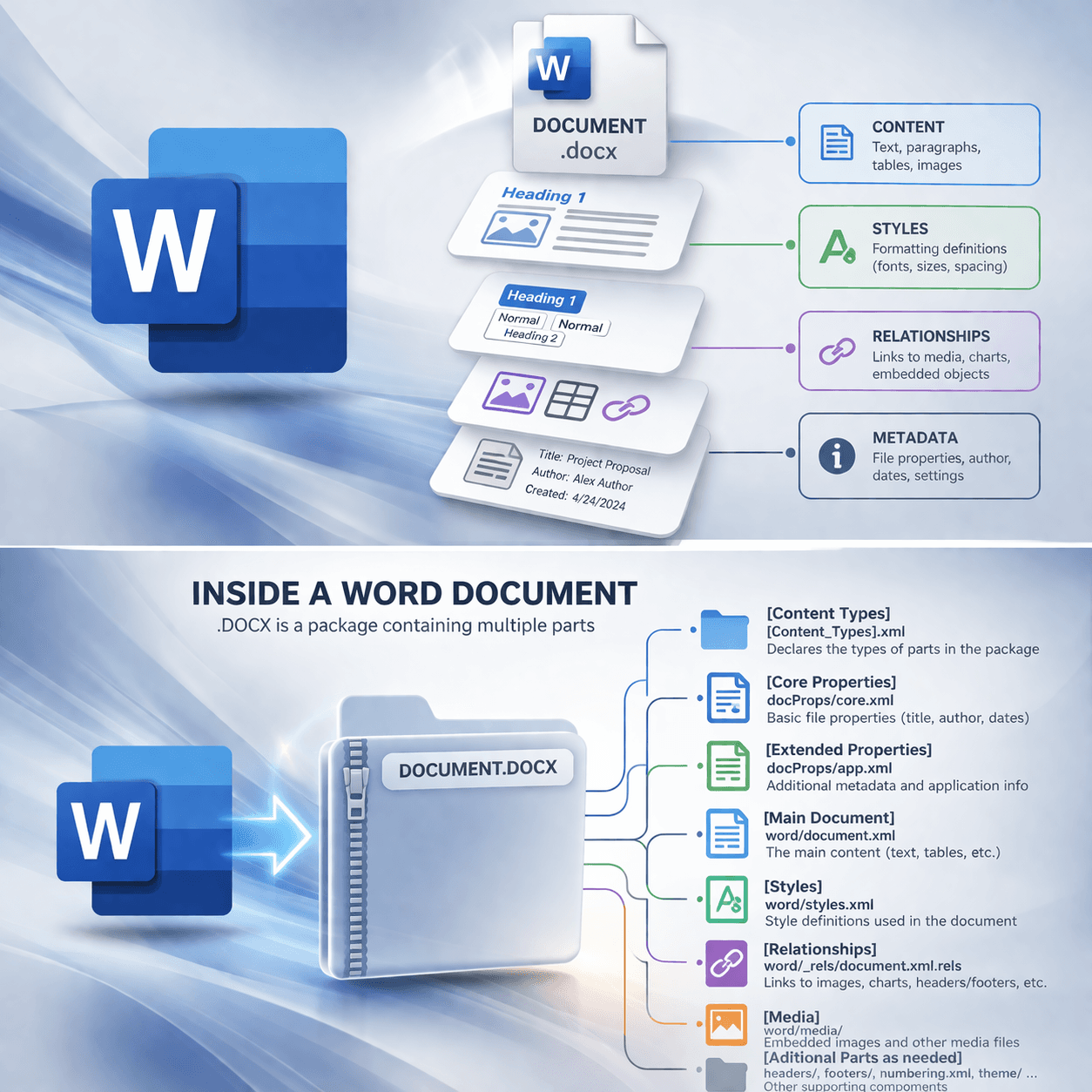
A .docx file conforms to the Office Open XML (OOXML) standard, which Microsoft adopted in 2007. The format is literally a ZIP archive containing a handful of XML files organized into folders. Here's what the structure looks like once you unzip it:
my_document.docx (unzipped)
├── [Content_Types].xml
├── _rels/
│   └── .rels
├── word/
│   ├── document.xml
│   ├── styles.xml
│   ├── numbering.xml
│   ├── settings.xml
│   ├── fontTable.xml
│   ├── header1.xml
│   ├── footer1.xml
│   ├── _rels/
│   │   └── document.xml.rels
│   ├── media/
│   │   └── image1.png
│   └── theme/
│       └── theme1.xml
└── docProps/
    ├── core.xml
    └── app.xml
Each of these files does one thing. And the separation is what makes the format powerful or fragile, depending on how you treat it.
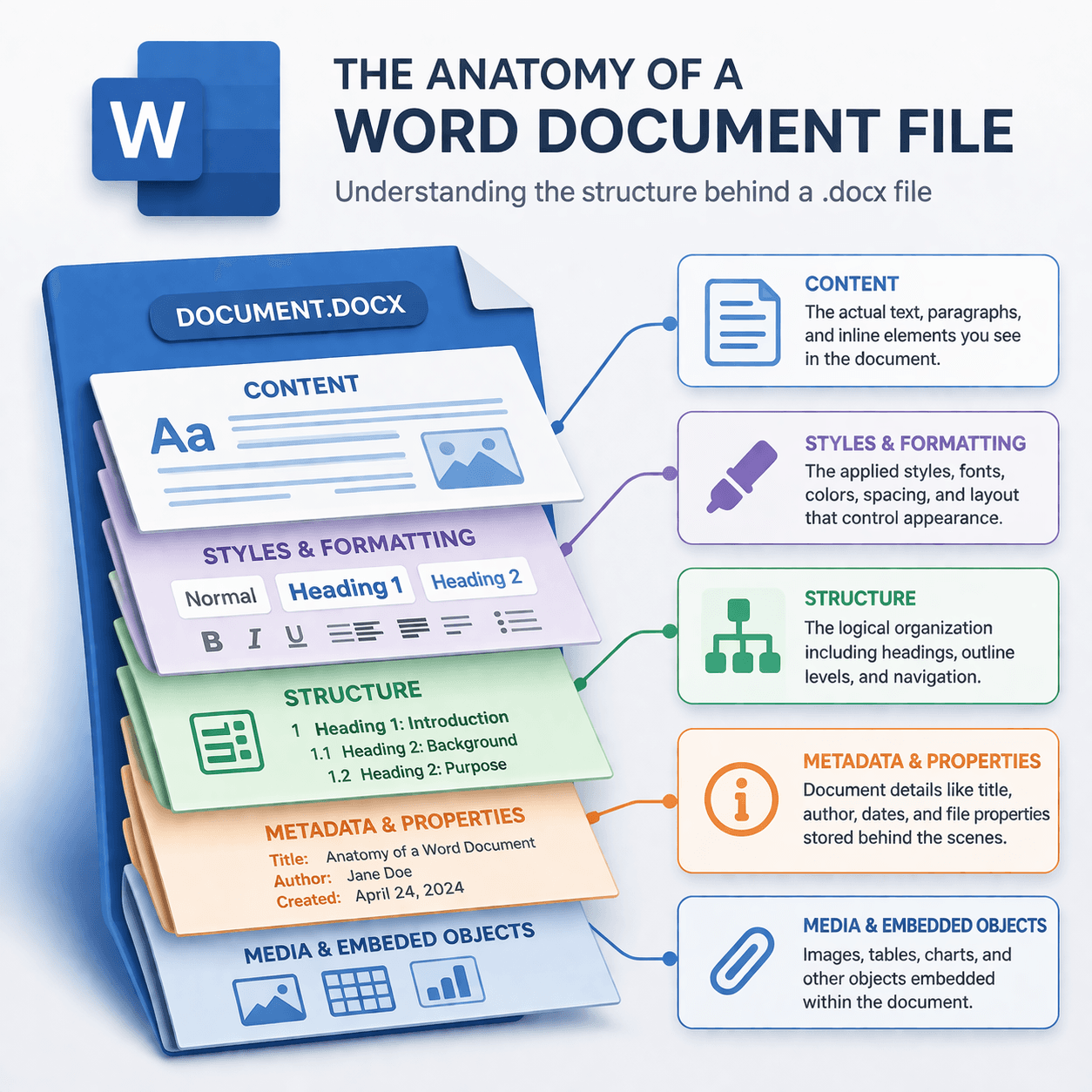
word/document.xml — This is where your actual content lives. Every paragraph, every run of text, every inline formatting override. When you type "The contractor shall deliver…" into a Word document, that string ends up here, wrapped in XML tags that describe the paragraph and its runs of text.
word/styles.xml — This defines the named styles: Heading 1, Heading 2, Normal, your custom styles, all of it. Each style specifies font family, size, color, spacing, indentation, and any other property you'd set in Word's style editor. When document.xml references a style by name, it points here.
word/numbering.xml — List and numbering definitions. If your document has numbered headings (1, 1.1, 1.1.1) or bulleted lists, the abstract numbering schemes live in this file. The styles reference these definitions, and the document body references the styles. It's a chain.
word/settings.xml — Document-level settings: default tab stops, page margins and size if not overridden elsewhere, compatibility flags, proofing language. The kind of stuff you set once and forget.
word/fontTable.xml — Declares every font used in the document. This matters more than you'd think. If a font isn't registered here, Word may substitute it silently when someone else opens the file.
word/_rels/document.xml.rels — The relationship file. This is the map that connects the document body to its headers, footers, images, embedded objects, hyperlinks, and anything else that isn't inline text. Every image in word/media/ gets referenced here by a relationship ID, and document.xml uses that ID to place the image.
[Content_Types].xml — The manifest. It tells whatever application opens the file which parts exist and what MIME type each one is. Without this file, the ZIP is just a pile of XML that nothing knows how to assemble.
docProps/core.xml and docProps/app.xml — Metadata. Author, title, creation date, last modified, word count. The stuff that shows up in the file's properties dialog.
Why This Matters When AI Touches Your Documents
When you ask an AI tool to generate or edit a Word document, the tool has a choice to make. It can modify the content layer, document.xml, while leaving everything else intact. Or it can regenerate the entire archive from scratch, writing every XML file from a blank canvas.
Most AI-powered document tools regenerate from scratch. Regenerating from scratch means the tool has to reconstruct styles.xml on its own. It has to define numbering schemes, font tables, theme colors, relationship mappings, all of it. Unless the tool has been specifically programmed to replicate every style definition, every numbering abstract, every setting, you end up with a document that looks… almost right. The headings are a little off. The list numbering restarted when it shouldn't have. The font reverted to Calibri even though the rest of your proposal package uses Times New Roman. The header image disappeared. The page margins shifted by a quarter inch.
Maybe you can live with that for an internal memo. But if you're submitting a proposal where formatting compliance is evaluated alongside your technical content, a quarter-inch margin shift or a wrong font is a findable deficiency — and evaluators will find it.
The better approach is surgical. Modify document.xml. Leave styles.xml alone. Leave numbering.xml alone. Leave the relationship files, the theme, the fonts, the settings, all of it. If you need to add an image, add the file to word/media/, register the relationship in document.xml.rels, and reference it in document.xml. Don't rewrite the entire archive just because you needed to insert a paragraph.
This is the same principle behind good version control in software. You don't rewrite the entire codebase to fix a bug in one function. You change what needs changing and leave the rest alone.
What to Look For in Your AI Workflow
If you're using AI to produce or edit Word documents, whether that's through a chat interface, an API, or a custom script, here are the questions worth asking:
Does the tool start from your existing file, or does it generate a new one every time? If it always produces a fresh .docx, your formatting will never survive the round trip. Templates, corporate styles, headers with logos, numbered heading schemes, all of it gets rebuilt from whatever the tool's defaults happen to be.
Does the tool preserve styles by reference, or does it inline everything? A well-structured .docx applies formatting through named styles. A poorly generated one applies formatting directly to every paragraph and run, producing a document that looks right on screen but becomes impossible to maintain. Change your Heading 1 font in styles.xml and it cascades through the whole document. Unless every heading was hardcoded with inline formatting, in which case you're editing them one at a time.
Can you unzip the output and inspect it? This isn't a rhetorical question.
cp example.docx example.zip
unzip example.zip -d example_unzipped
cat example_unzipped/word/document.xml
You'll see immediately whether the content is cleanly structured or whether it's a mess of redundant formatting tags. You'll see whether styles.xml contains your style definitions or a generic set that the tool invented.
The Takeaway
A .docx file is an engineered system with separation of concerns baked into its architecture. Content, formatting, relationships, and metadata each live in their own space. That separation is a gift: you can change one layer without destroying another, as long as you respect the boundaries.
The moment a tool ignores those boundaries and rewrites the whole archive, you lose the accumulated formatting work that makes a professional document look professional. You lose your template. You lose compliance with whatever style guide or solicitation instructions you were following.
So the next time you hand a document to an AI tool and the output comes back with mangled formatting, don't blame the format. Blame the tool for not understanding the architecture it was working with. And then go unzip the file yourself. Now you know where to look.
Topics

Josh Parker
Founder of Indy-Pendent Solutions and flowState Software. Former Air Force combat rescue pilot, defense program manager, and capture strategist with 20+ years in defense acquisition.
Need help with your next capture?
Our software tools can help you win more government contracts.